
The UK's Be Ready campaign asks you to cope for 3 days if services fail. Here's how to charge your power bank, phone and car at the right time, and plan your next 7 and 30 days of energy.
See your best charging window this week
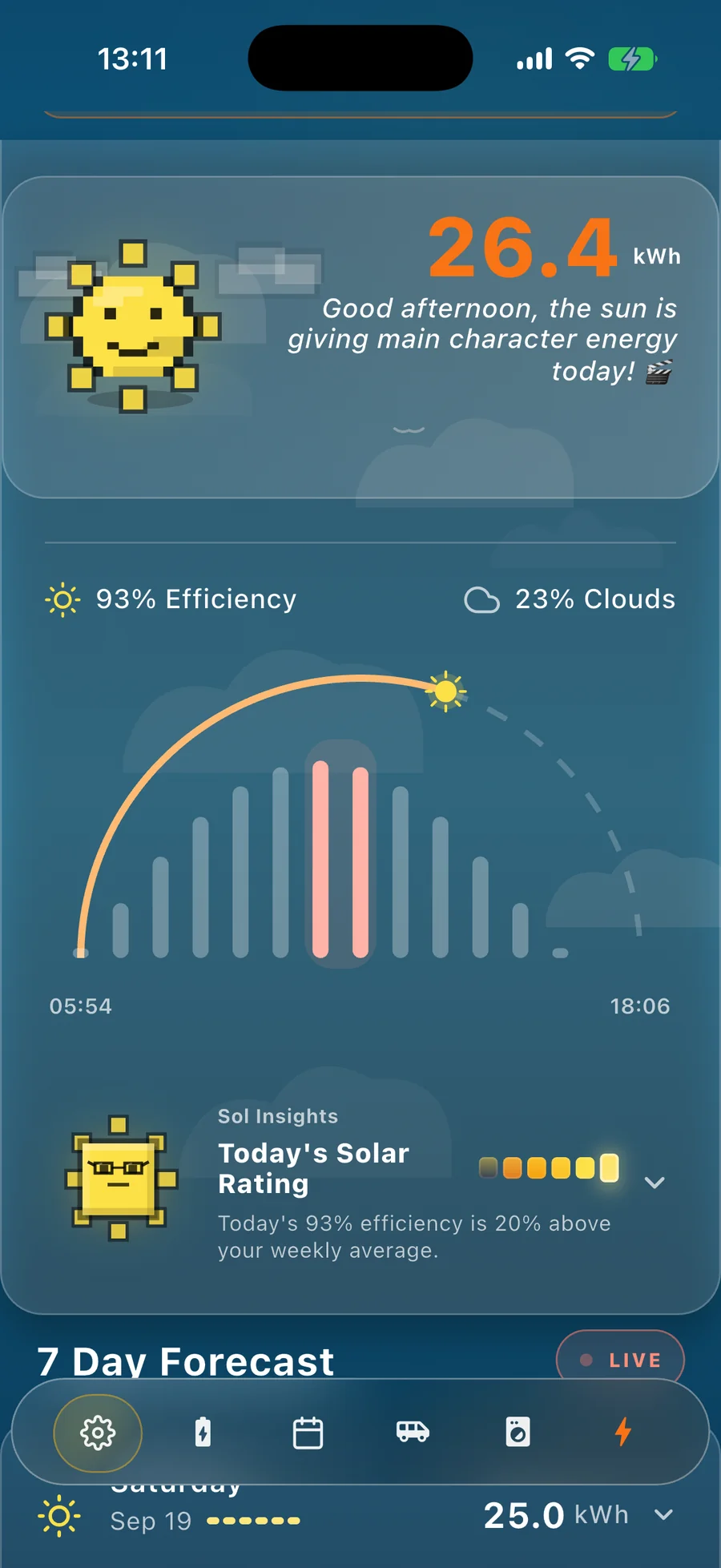
Sun Hours is free on iPhone and Android. Enter your location and your system's best day, and get a personalised 7-day forecast with your best window each day. No account needed. The 30-day view is free too.
The government's new Be Ready campaign asks every household to be able to cope for 3 days if services are disrupted. For electricity, that comes down to three habits: keep a power bank charged, top up your phone and car before bad weather arrives, and know what your next week and month of energy look like. Sun Hours can help with the last one, and with picking the best hours to charge if you have solar.
The clocks went back this morning, which is always when I start thinking about winter. This year the government has given that feeling a name, so I read the checklist with one question in mind: what does "be ready" actually mean for electricity?
What Be Ready says about electricity
From severe weather to cyber attacks, the campaign's point is that emergencies can disrupt the services we rely on, and that being ready for 3 days helps you manage while support reaches those most in need. Most of the checklist is water, food, warm clothes and medication. The electrical items are short and sensible:
- A torch with spare batteries. It points out torches are safer than candles.
- A battery or wind-up FM radio, for updates during outages.
- A charged power bank, for phones or compatible medical devices.
- An in-car phone charger in your winter boot kit.
- The power cut number written down on paper: 105 in England, Scotland and Wales, and 03457 643643 in Northern Ireland.
It also says you don't need to do it all at once. Pick up an item or two with the weekly shop and build gradually. I like that. What the checklist can't tell you is when to charge things, and how much sun you'll realistically have to do it with. That's the gap I can help with.
When to charge the power bank, the phone and the car
The honest answer depends on what you've got.
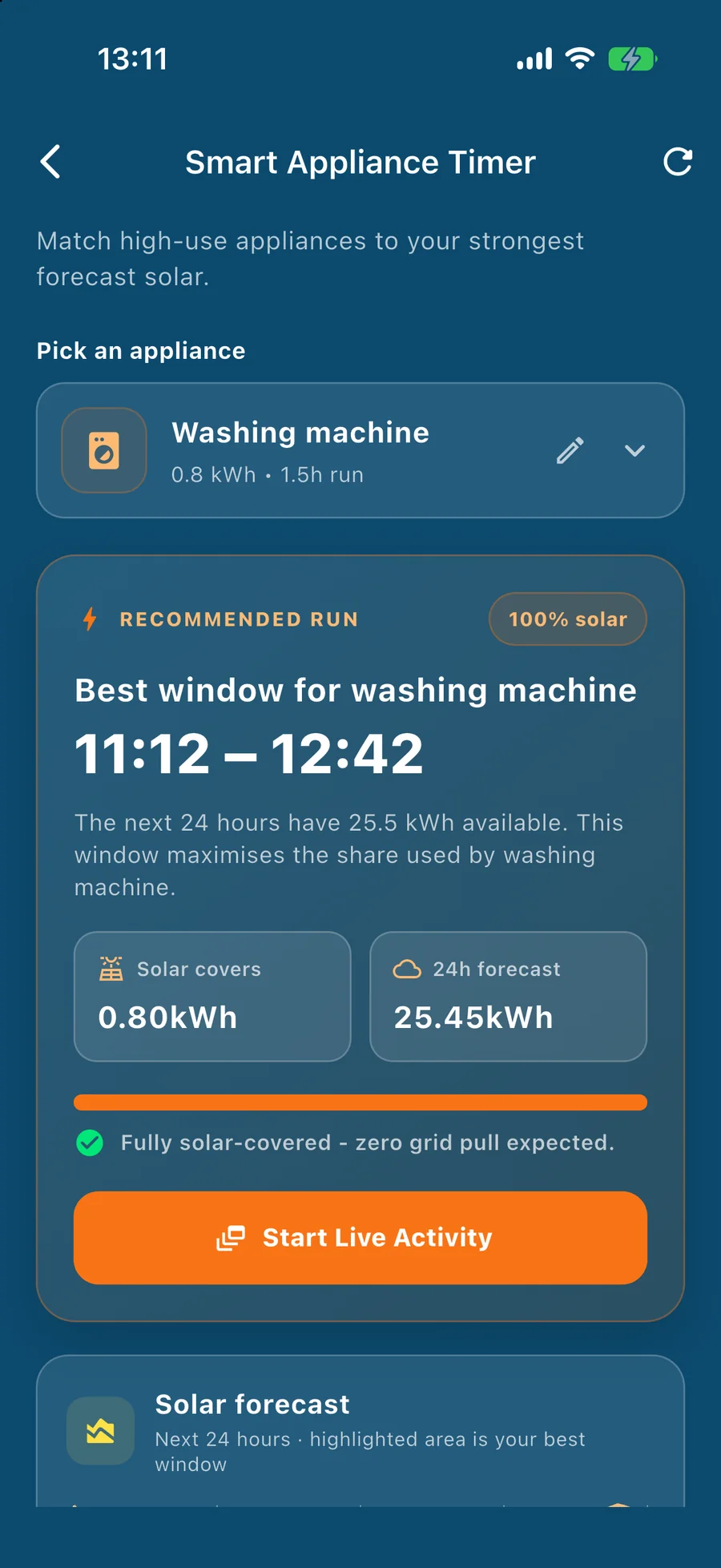
If you have solar panels or a plug-in kit, charge when your panels are working hardest. On a bright day that's late morning to early afternoon. Since the clocks changed, the sun is highest at about 11:45 in London, so aim for roughly 11am to 1pm (I explained why in my post on the clock change). Power banks, phones, laptops and an e-bike are all easy wins for that window, and an electric car can use it too if you're home. In the Sun Hours app, the smart appliance timer finds the best window in the next 24 hours, and the opt-in morning alert tells you your best two-hour slot.
If you don't have solar, the best time is usually your cheapest tariff period, which for many households means overnight. A forecast can't help there, but a repeating reminder can.
Before a storm or cold snap, stop optimising and just top up. If the Met Office has a warning out, charge the power bank, your phone and the car, whatever the time of day. That's my own rule of thumb rather than government advice, but it's in the spirit of the campaign: be ready before you need to be.
One more habit worth stealing. Power banks drift down in storage, so I top mine up monthly rather than waiting for the campaign's suggested six-monthly kit check. A flat power bank in an emergency is just a brick. As a rough guide, a typical 10,000 mAh bank gives a phone a couple of full charges, so over 3 days you'll want to be sparing with screen time.
Will solar panels keep the lights on in a power cut?
This one surprises people. A standard grid-connected system shuts its inverter down when the grid fails. It loses the grid's signal, and it must not push power onto lines where engineers may be working. Even most battery systems shut down too, unless they have a gateway device that can isolate your home and provide its own earth, as this UK explainer on solar and power cuts sets out. Plug-in kits are grid-connected as well, so I'd assume the same unless the maker says otherwise.
It's one more reason to charge your power bank and devices while the sun is shining and the grid is up. If you want the newer plug-in options explained, I keep a running guide at /plug-in-solar-uk.
Plan the next 7 days
This is how I use Sun Hours myself. It gives a 7-day forecast built around your panels' best day, with cloud cover and an efficiency breakdown for each day, from just your location. No inverter login, no account. A simple weekly routine:
- Sunday evening: look at the week ahead and spot your one or two best days.
- Put the big charging jobs on those days: the car, the power banks, the e-bike, the laundry.
- On grey days: don't chase solar. Charge off-peak, or leave it.
- If a weather warning lands: top everything up first and treat the forecast as a bonus.
Plan the next 30 days
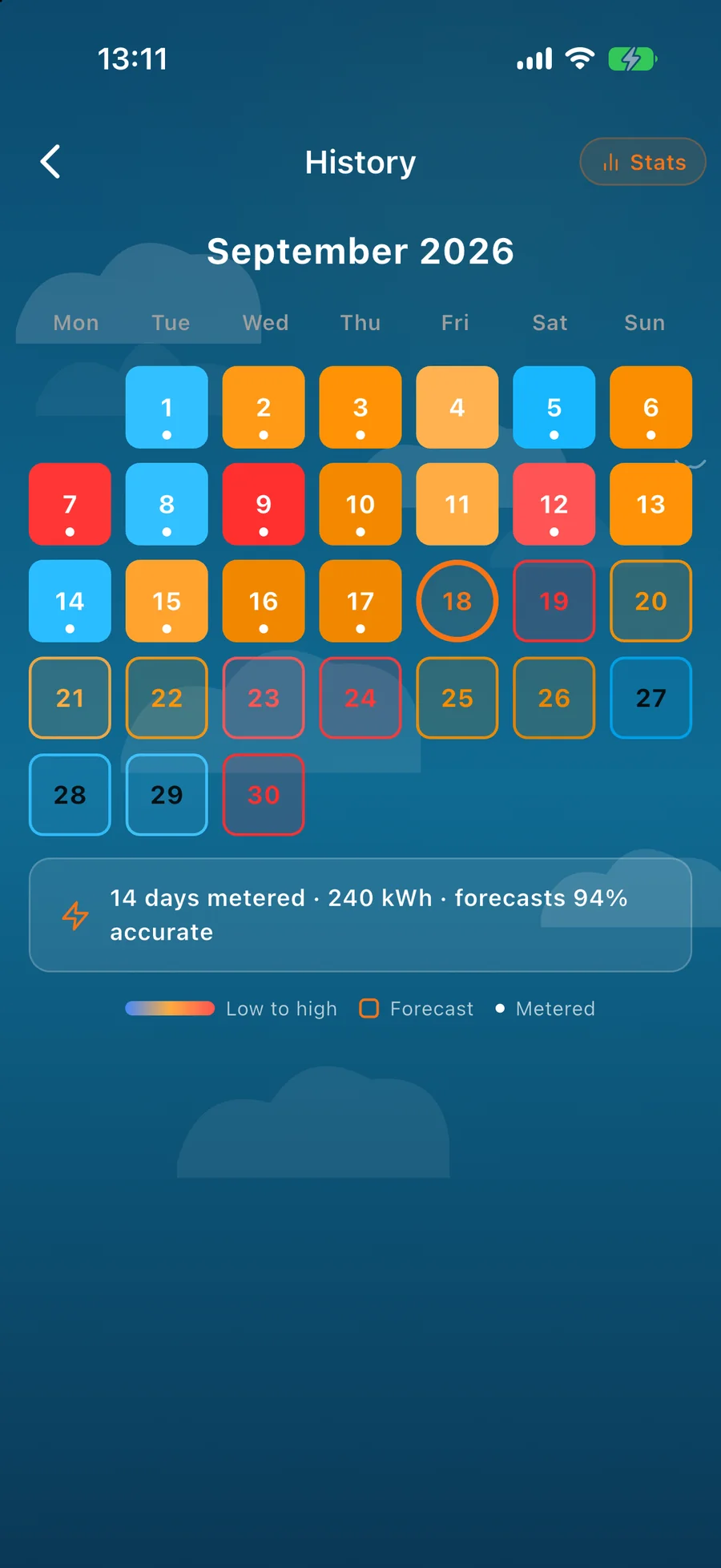
A week tells you what to charge. A month tells you what to expect. The 30-day view in Sun Hours, which is free to use, is built from historical weather at your location, so you see your site's seasonal rhythm rather than a precise day-by-day promise. For November and December that's useful and a little sobering, because output drops. That's not a fault, it's the UK in winter, and it's far better to know in October than to find out in January.
A simple month, using the campaign's own "build it gradually" idea:
- Week 1: the basics. Power bank, torch, radio and spare batteries.
- Week 2: the paper list. The 105 number, family contacts, regular medication, and emergency details on your phone.
- Week 3: check your forecast for your lowest-output stretch, and decide what you'll move to off-peak when solar is thin.
- Week 4: top up the power banks, test the torch, and set a monthly reminder.
Where Sun Hours fits
I built Sun Hours because I got fed up with apps that made a simple question complicated. The question solar owners ask every morning is "is today a good day?" Be Ready is the same idea turned inward: "what would I do if the power went off for 3 days?" Neither needs an engineering degree, and both need a little planning done early.
Take two minutes this week to write down what you'd do in a 3-day outage. Then let the app handle the planning. If you want extra help, check whether you can join the Priority Services Register, and for local advice in Scotland or Northern Ireland, see Ready Scotland and nidirect.
This is an independent guide from Sun Hours. It is not affiliated with or endorsed by GOV.UK or the Be Ready campaign. For official advice visit beready.campaign.gov.uk. In an emergency, call 999.
Further reading
Sun Hours Hit #1 in Weather on the Irish Mac App Store
App News · 3 min read
The Clocks Go Back on Sunday. Your Solar Peak Just Moved an Hour.
Solar Basics · 4 min read
Solar Just Got “Offensively Cheap.” Predicting It Didn’t.
Solar Basics · 3 min read
What Is a Solar Forecast, and Can You Actually Trust One?
Solar Basics · 5 min read
Warum Deutschland Europas Solar-Spitzenreiter ist (nicht wegen der Sonne)
Germany · 4 min read

See your best charging window this week
Sun Hours is free on iPhone and Android. Enter your location and your system's best day, and get a personalised 7-day forecast with your best window each day. No account needed. The 30-day view is free too.